
Do I need an account to use Wingman?
No. There is no account, no sign-up and no licence key. Wingman works entirely on your machine.
Install guide
All installs are local. No sign-in. No telemetry.
Windows only. There is no build for any other operating system and none is promised here.
Get the latest Windows installer.
Join the private beta Wingman is being tested with a small group of fantasy players before its wider release. If you have been given a beta access code, enter it below to join the hangar.
Wingman for Windows Current beta — Wingman 1.12.0-beta · 17.6 MB (Windows 10/11 64-bit)
Enter your code to unlock the download.
This code is a courtesy lock, not security. Anyone who has it can fetch the build.
SHA-256 of the download
72b3496e38470f6f90c2ba3bb48e30da33ccaa9ea4b218a42f32c5530954d754
Every download on this page carries the SHA-256 of the exact file it links to. Check it with
certutil -hashfile Wingman-1.12.0-beta-win64-Setup.exe SHA256.
Run the installer and follow the prompts. Then open Wingman and you are in — no account, no setup.
Wingman is in private beta, so the download sits behind a clubhouse code. Ask by email and you get the code and the address together.
Every download on this page carries the SHA-256 of the exact file it links to. Run
certutil -hashfile Wingman-1.12.0-beta-win64-Setup.exe SHA256 and
compare.
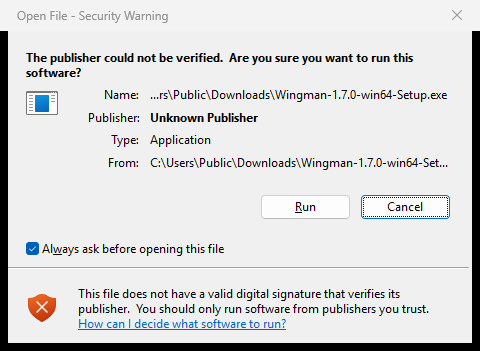
The installer is not code-signed yet, so Windows says the publisher cannot be verified. That warning is telling the truth. Click Run. There is no way around this yet and nothing on this page pretends otherwise — the screenshot below is the real dialog.
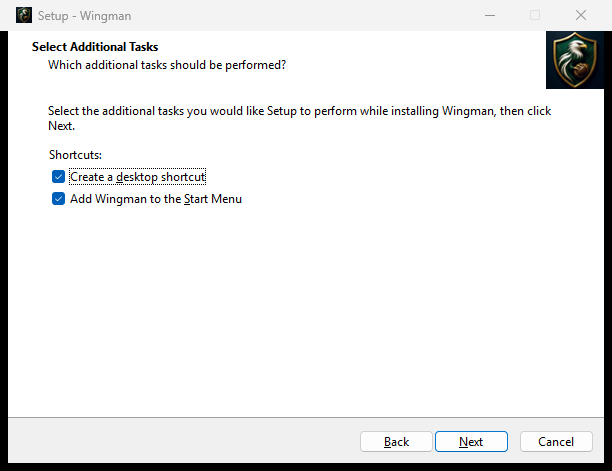
One installer. Double-click it, answer two questions, and Wingman is installed. The two are whether you want a desktop shortcut and whether you want Wingman in the Start Menu; both are ticked already. It installs for you alone and never asks for an administrator. Uninstalling is a normal entry in Add or remove programs.
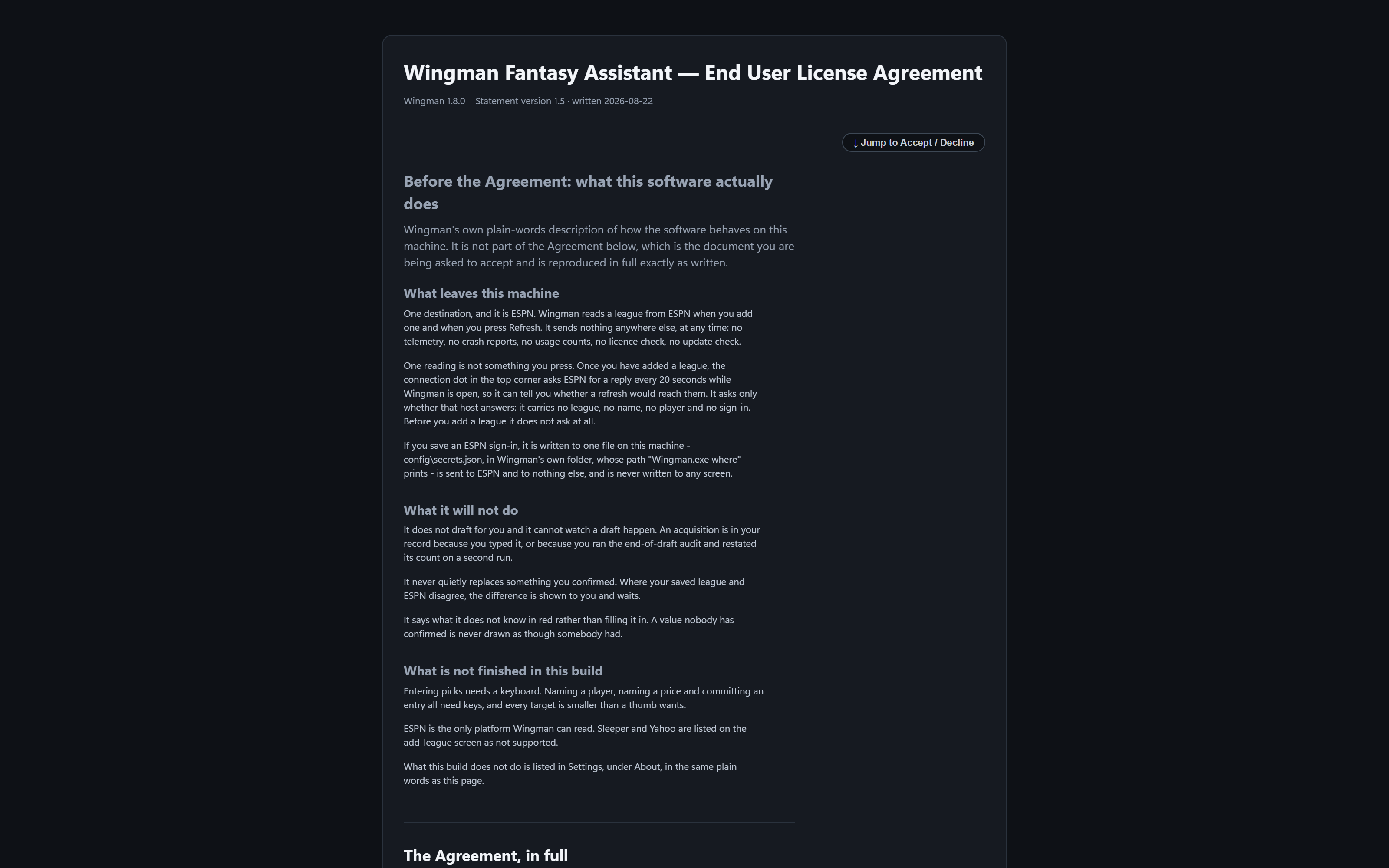
It shows you the licence, in full, before it shows you a screen, and does not go on until you answer. Nothing is downloaded while it installs and nothing while it starts. Wingman carries its own Python and its own web server.
Wingman has no window. It runs in the background with an icon by the clock — Windows tucks a new one under the ^ arrow until you drag it out — and right-clicking it gives Open Wingman and Quit Wingman. Closing the browser tab does not stop it, so a draft survives a tab you close by accident.
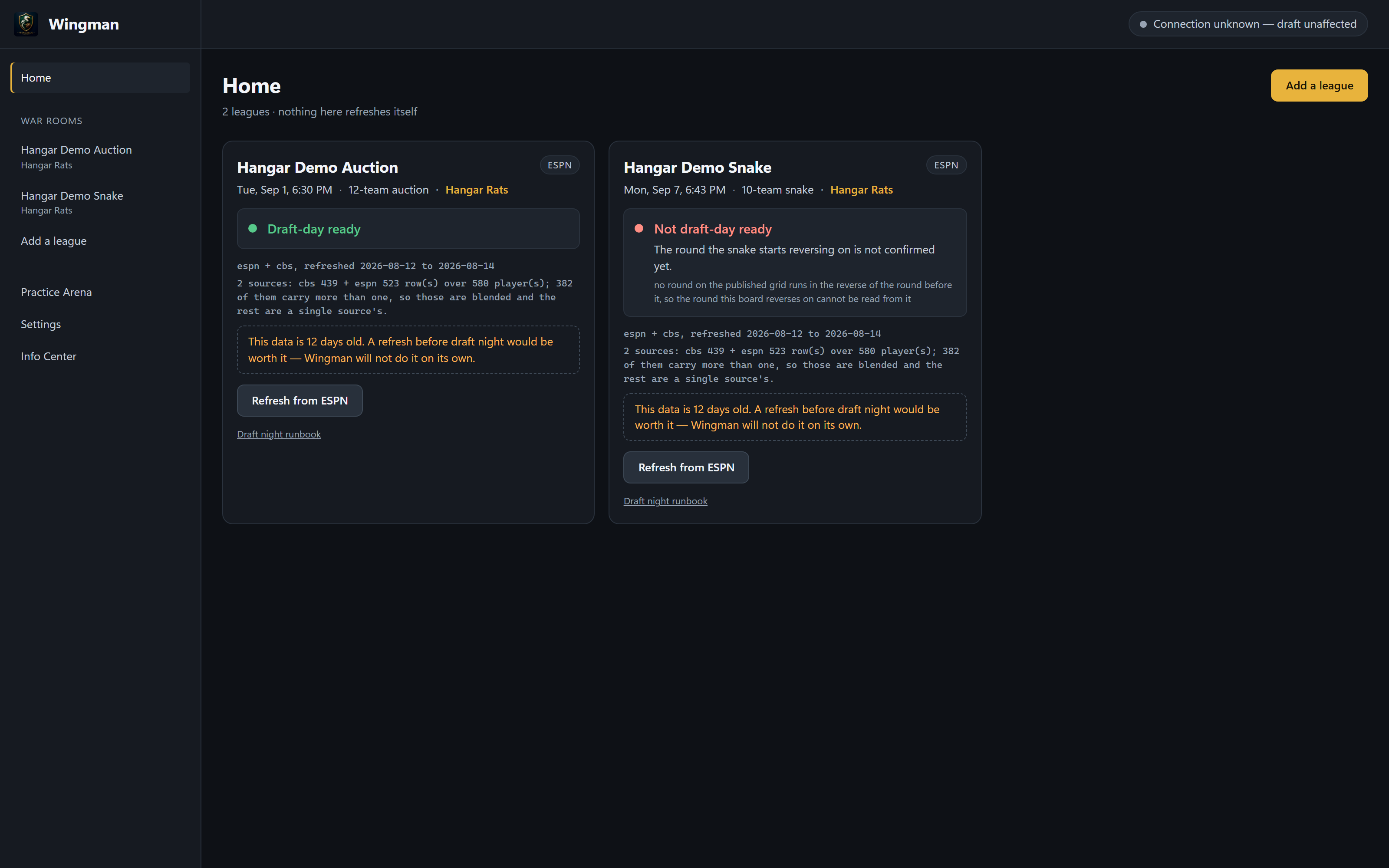
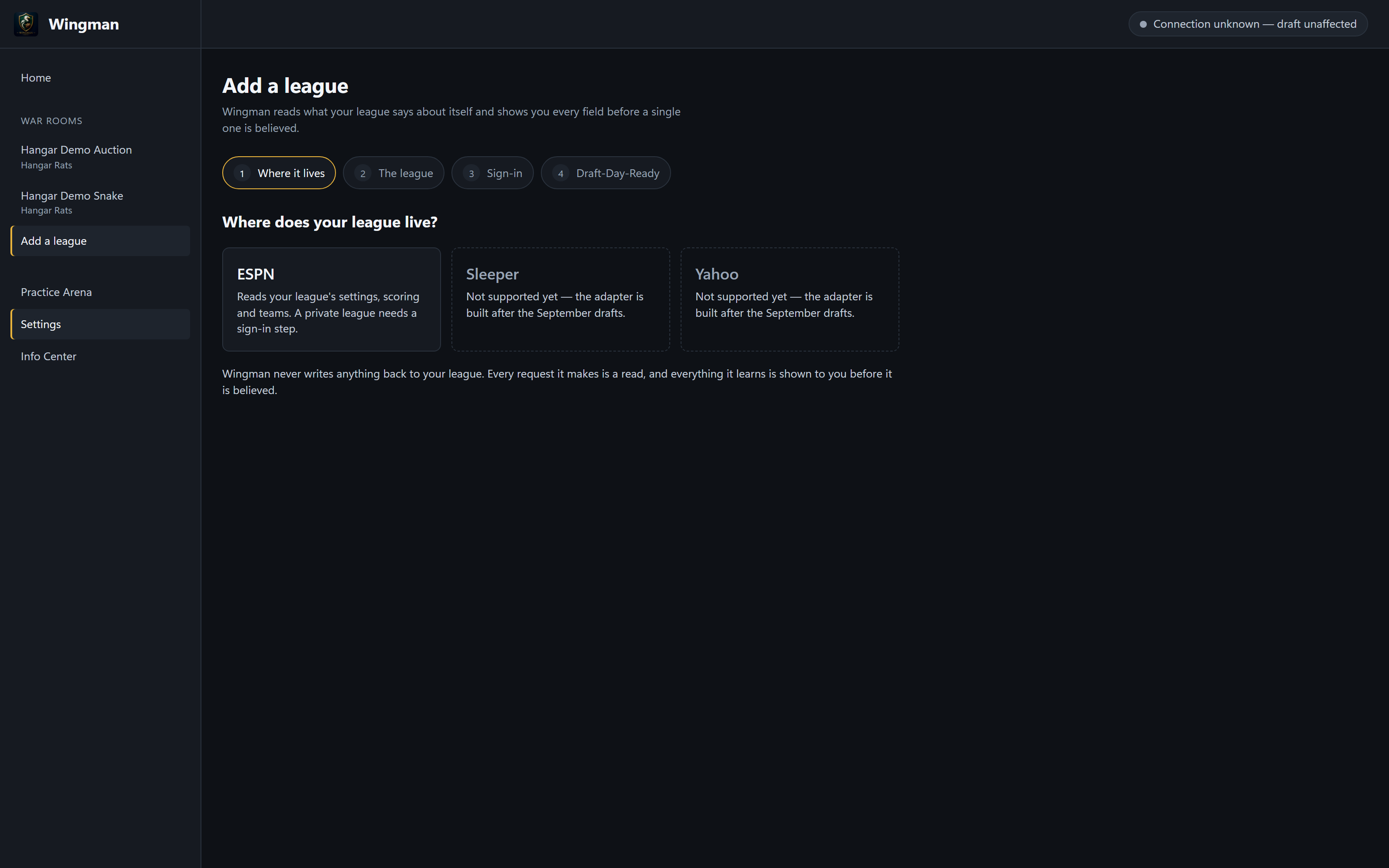
Press Connect ESPN. Wingman opens ESPN's own sign-in page, finds your leagues and offers them by name — you pick yours, and Wingman shows you every value it read with where it came from. You sign in on ESPN's own page. Wingman never asks for your ESPN password. A private league asks for a sign-in only after ESPN has refused without one. It says what it does not know in red rather than filling it in.
On draft night Wingman keeps your league's values, your targets, what the roster still needs and the ruling on whoever is up all in one place. In this beta you enter each pick as it happens — three letters and Enter for the player, and the room answers. Typing a pick takes about a second and a sale under three, measured against two real completed drafts that ran at nine seconds a pick and twenty-one a sale.
Wingman runs on your machine. No cloud storage. No selling. No sharing. Ever.
The internet is needed to read a league from ESPN and to refresh projections. Draft night itself needs nothing.
No cloud sync. No account. No data leaves your PC except the league reads you ask for.
Nothing here updates itself, or checks whether it should. When there is a new version you come and get it. Come back to this site and check the version on the releases table.
No. There is no account, no sign-up and no licence key. Wingman works entirely on your machine.
It installs for you alone and never asks for an administrator. Uninstalling is a normal entry in Add or remove programs. It installs into your own AppData folder — nothing goes into Program Files and nothing is written anywhere another account can see.
No. Your leagues, your sign-in and your whole draft record are kept in your own AppData folder, not in the program folder. Uninstalling Wingman leaves them where they are. Install Wingman again later and it finds them.
Yes. A practice arena runs the real room on scratch paper, on its own ledger, and you can reset it. You enter the picks yourself, exactly as you would on the night.
Every entry is an event you can undo or correct. Support is email. There is no chat, no ticket queue, and nobody is watching a dashboard. During a draft, the fastest fix is almost always the undo in the room itself — it is instant and it needs nobody.
No. Your leagues, your sign-in and your whole draft record are kept in your own AppData folder, not in the program folder. Uninstalling Wingman leaves them where they are. They are ordinary files on your disk. No telemetry, no crash reports, no usage counts, no licence check, no update check.
Nothing here updates itself, or checks whether it should. When there is a new version you come and get it. The releases table on Release details is the record; compare the version there with the one in Wingman's own About box.
Wingman is in beta. Features may change, and what it does not do yet is listed in full rather than left for you to discover. Your feedback shapes what comes next.